Internal Design System
case study 001
Role
UI Designer alongside UX/UI Lead
Scope
3 months | Sept. '25
Tools
Figma, React, SCSS
Project Type
Design System
Impact
1. New projects begin with production ready components & tokens
2. 100% adoption across current client projects
3. Shared design-developer language to reduce handoff friction
tl;dr
Designing for Diverse Client Needs
At Ollon, having a small team we need to work smarter, not harder. However, client design projects would start from scratch, build off existing designs, or use a combination of various component libraries.
Our internal design system is a lightweight token system and component library that establishes reusable conventions across client work.
Drawing semantics from established design systems, the system is adopted to be flexible, scalable, and so simple a developer can understand it.
goals
Build a flexible, extensible foundation that can be customized per client
Give our team clear patterns to follow to simplify the design process + reduce decision fatigue
Deliver documentation to enables independent adoption of the solution
The problem
How might we develop reusable design conventions that accelerate decision-making across diverse client requirements?
Audit
An audit of our workflows, client designs, and front-end projects revealed misalignment stemming from the need to build custom solutions for our clients and their brands, rather than leveraging a shared foundation.
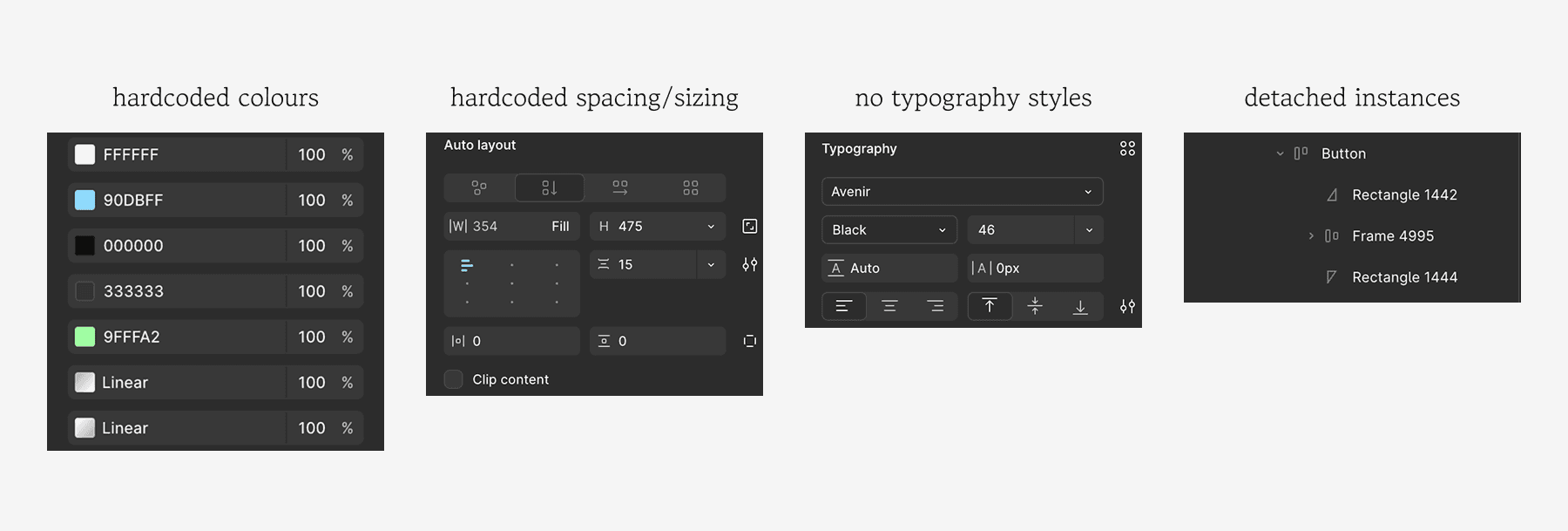
only one piece of the puzzle
By zooming out, we realized that this project was one piece of the puzzle: streamlining our design-development process by building an end-to-end design to code AI workflow. For this reason, creating a structured design system establishes consistency with the AI to produce more reliable outputs.
informed token design
When creating the token system, we built off of systems that our team is familiar with to customize industry standard to match our needs.
Key learnings:
Chakra UI: camelCase naming, which aligned more with development
Material UI: "on-" prefix for foreground elements on coloured backgrounds for accessibility
Adobe Spectrum: t-shirt sizing similar to Tailwind CSS, which is familiar to our devs
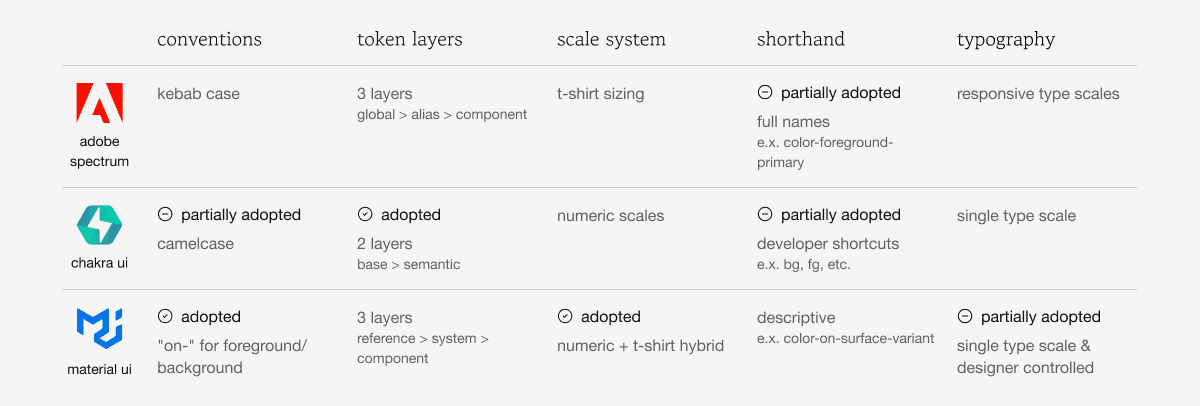
Major token decisions:
"Primary" over "brand": “brand” has marketing connotations, doesn’t convey hierarchy
No component-specific tokens: prevent rigidity
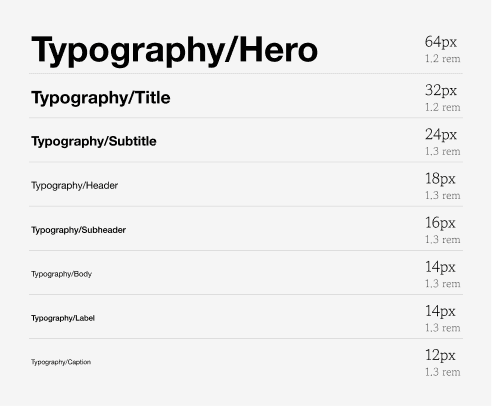
Semantic typography over full type scale: predetermined styles to simplify type decisions
Simple spacing scales: omitting tokens for margins/padding to let designers choose for the context
Dark mode deferred: for simplicity
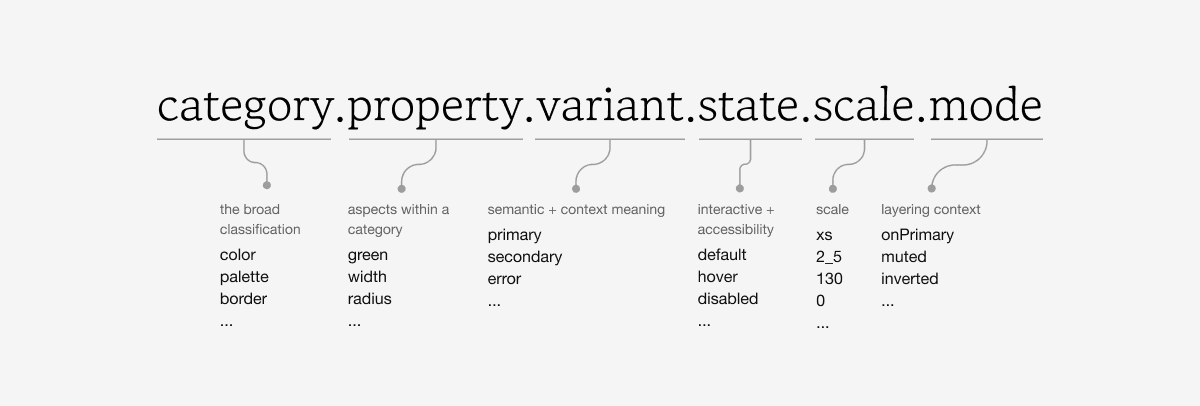
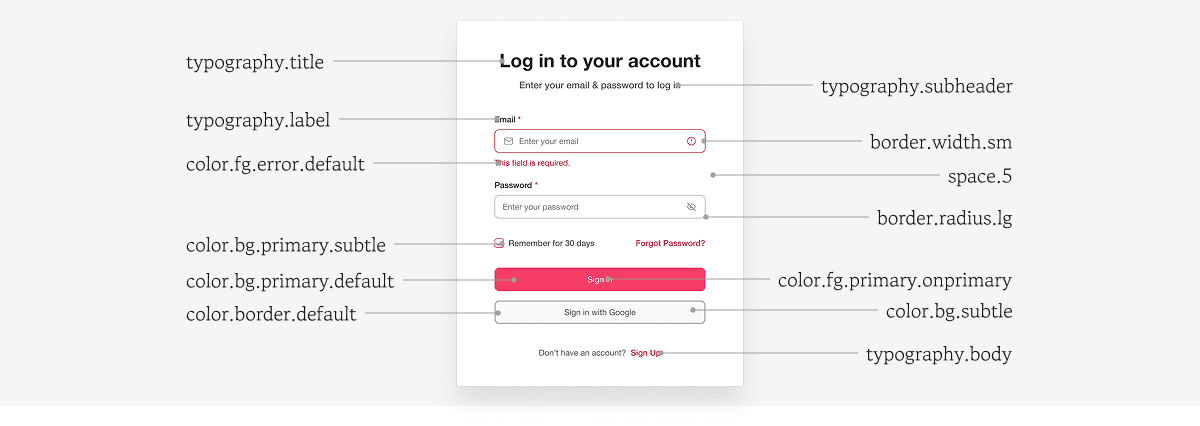
Untitled UI Pro, at $129, captured much of our philosophy but it is too overwhelming for our use cases. As a result, we opted to make in house.
Designing Components
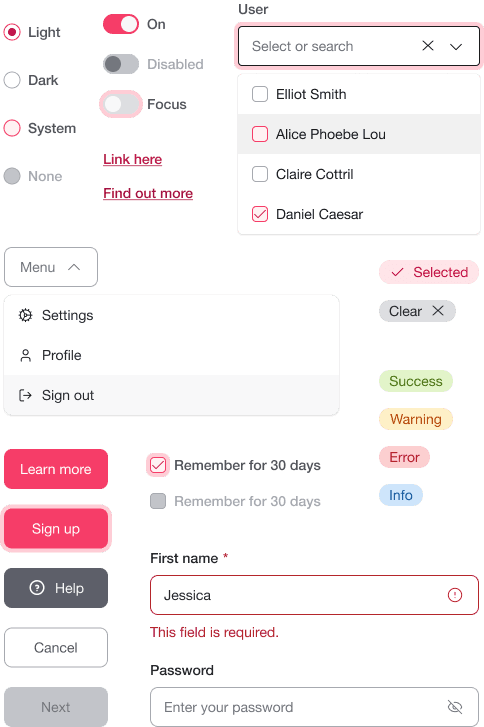
Initial components built were scoped to what our front-end tool actually needed for the login and signup flows, including buttons, inputs, checkboxes, radio buttons, links & icons.
Small components, big decisions
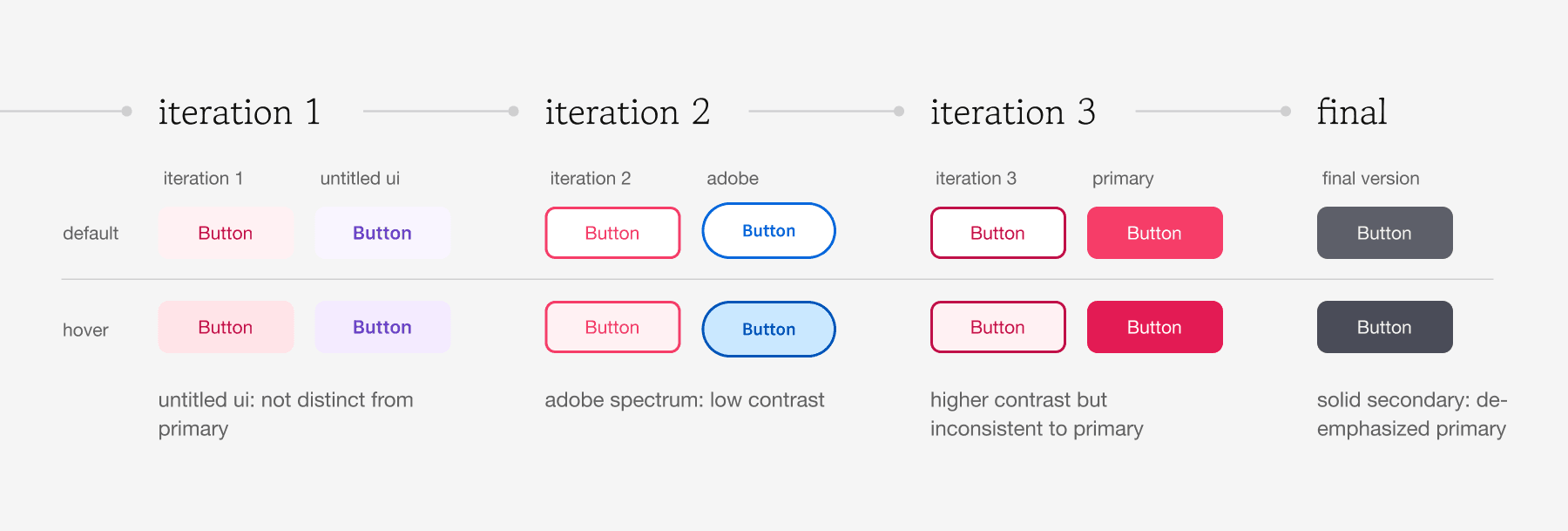
Designing buttons emphasized how variants need purpose and accessibility.
For example the secondary button was planned to follow adobe, but this fails when client brand colors don't meet contrast standards.
Instead, we opted for a solid style button, not to be used as a secondary action, but as a de-emphasized primary.
Testing & Iterations
developers at the forefront
It was essential that our system established an effective shared language between design and development.
We conducted moderated usability testing, with think aloud protocol, with 2 of our developers to simulate customizing the TDS for a client project.
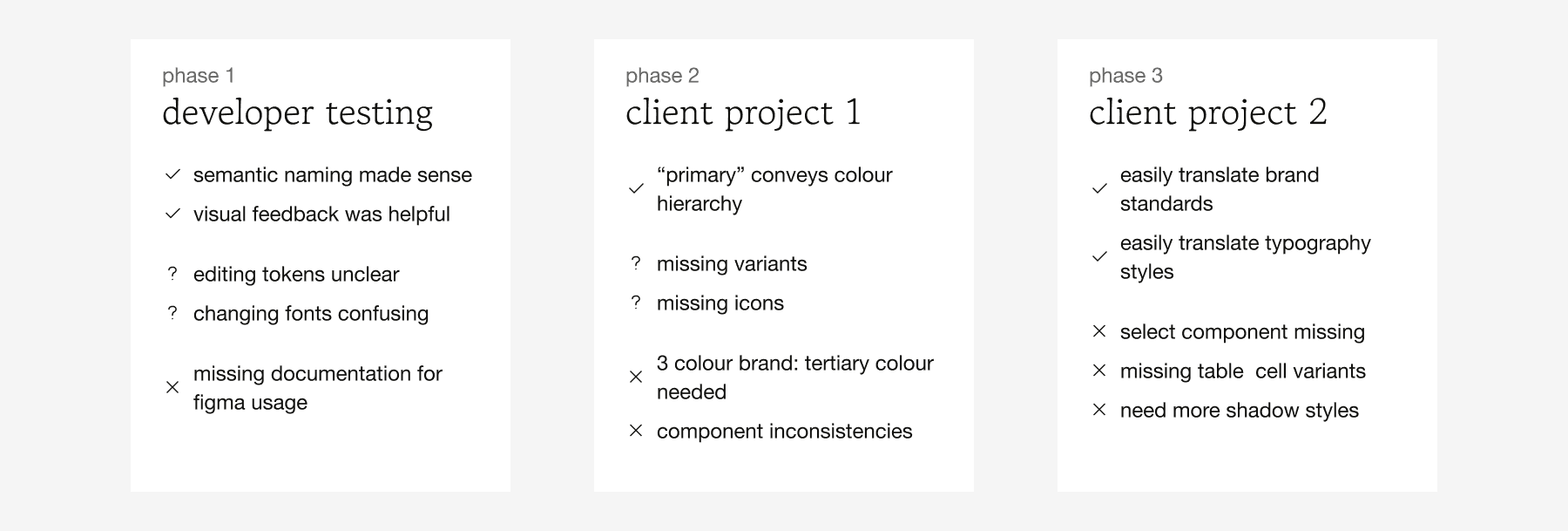
Testing validated semantic naming was intuitive, while revealing documentation gaps, tool constraints, and growth opportunities when applied to client work.
Applying the system to two client projects revealed missing components, the need for a tertiary colour, and more shadows. They validated our implementation of set typography styles, which allowed us to easily translate clients brand standards and reduce decision fatigue.
the solution
Our Internal Design System is light enough to customize quickly, structured enough to prevent decision fatigue, and flexible enough to serve clients in different sectors with unique brand requirements.
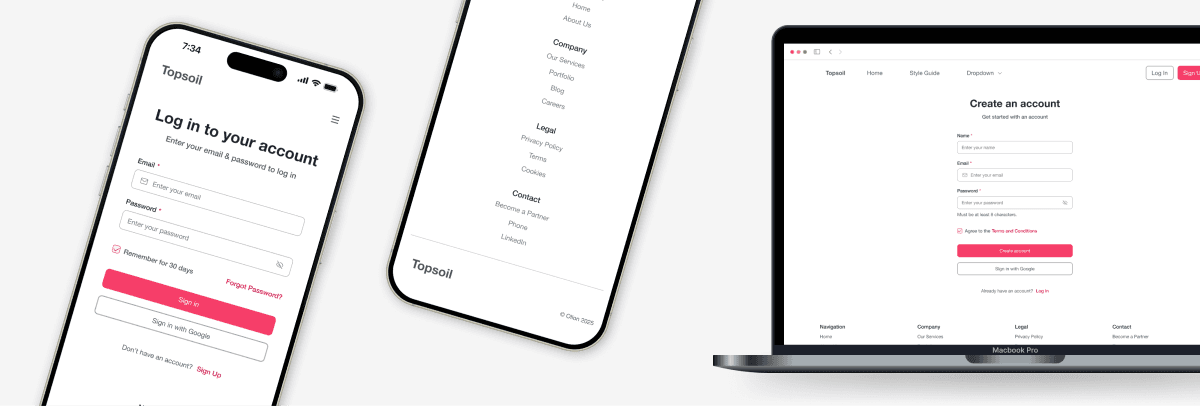
Simple and usable
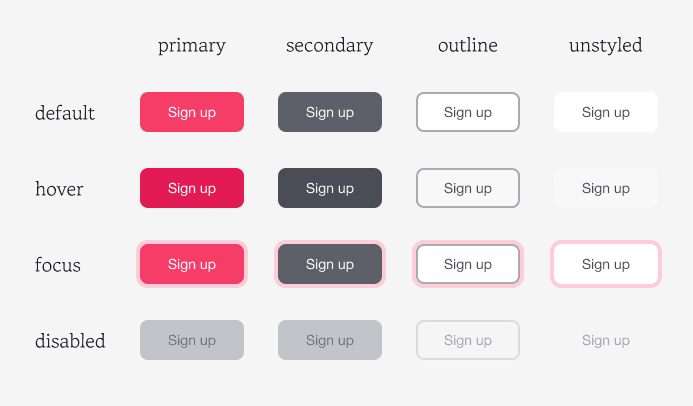
120+ semantic tokens organized into clear categories. 20+ components with comprehensive states. But more importantly, a system our team could actually use.
Building a better foundation for how we work allows us to create reusable patterns to help us iterate faster.